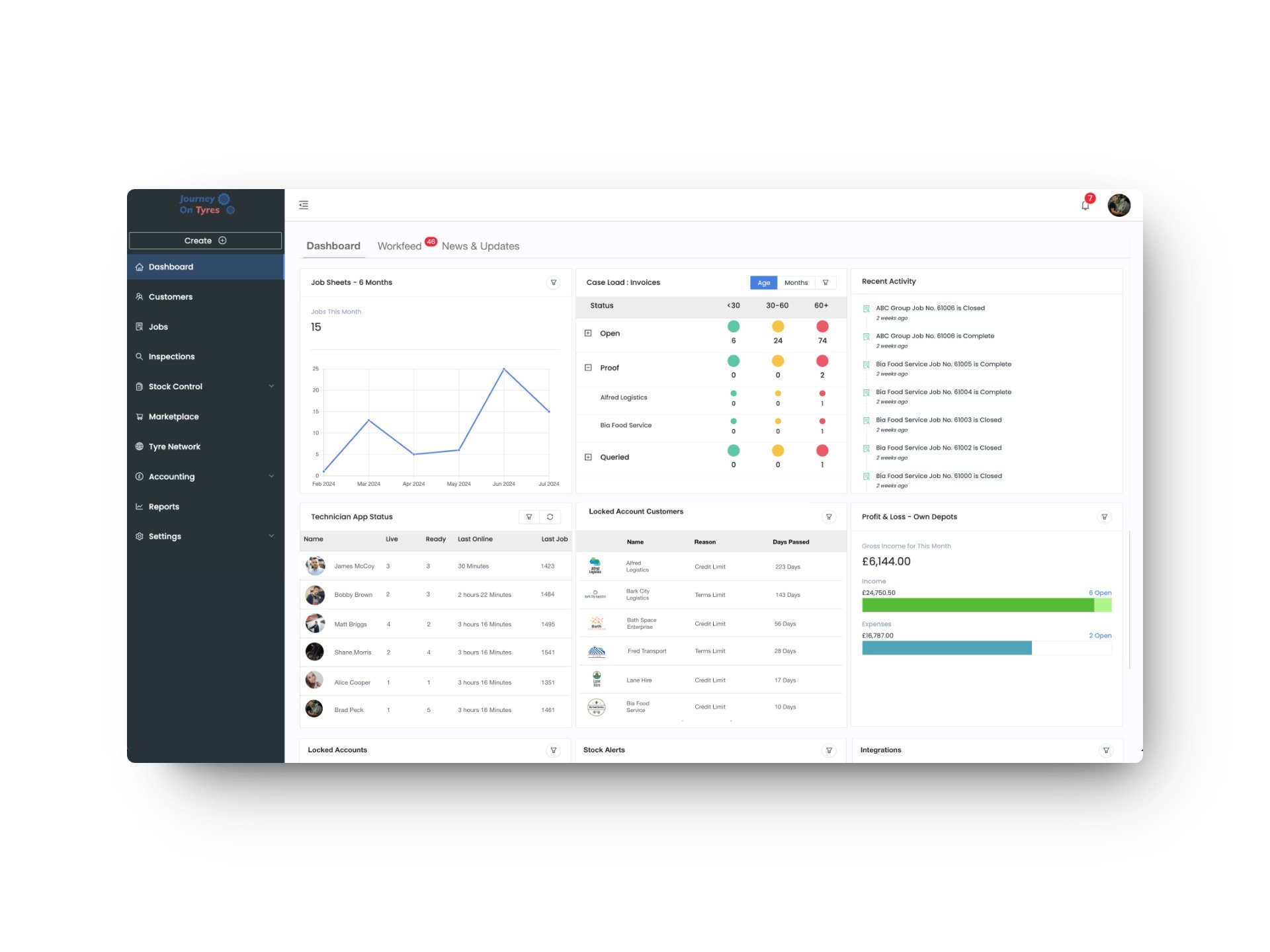
Working out how to choose tyre management software is one of the most consequential decisions a tyre business owner will make. Get it right, and you gain efficiencies that compound every single day. Get it wrong, and you are stuck with a system that creates more problems than it solves or, worse, you spend months on implementation only to abandon it and start again.
We have seen both outcomes many times. The difference usually comes down to how thoroughly the buyer evaluates the software before committing. Marketing demos are polished by design. The real question is whether the platform handles your specific workflows, integrates with your existing tools, and scales as your business grows.
Here is how to choose tyre management software using the five criteria that matter most, based on what we have learned from 100+ UK tyre businesses.
1. Cloud-Based Versus On-Premise
This is the foundational decision, and in 2026, there is a clear answer for the vast majority of tyre businesses: cloud.
Why Cloud Wins
Cloud-based software runs on the provider’s servers and is accessed through a web browser or mobile app. You do not install anything locally, you do not maintain servers, and you do not worry about backups, security patches, or hardware failures. Updates happen automatically, and your data is accessible from any device with an internet connection.
On-premise software, by contrast, runs on your own hardware. You are responsible for the server, the network, the backups, the security, and the updates. If that server fails on a Saturday morning when your shop is full of customers, you are dead in the water until your IT person can fix it.
The Remaining Arguments for On-Premise
Some tyre business owners raise concerns about internet reliability. It is a fair point: if your broadband goes down, cloud software becomes inaccessible. However, modern cloud platforms (including TyreOps) offer offline capability in their mobile apps, syncing data when connectivity returns. Given that UK broadband reliability is above 99.5% for most business connections, this is a manageable risk.
Data sovereignty is another concern. With cloud software, your data sits on the provider’s servers (typically in UK or EU data centres for reputable providers). If this matters to your business, ask your shortlisted providers where their data is hosted and what guarantees they offer on data portability if you decide to leave.
What to Ask
- Where is the data hosted? (Look for UK or EU data centres)
- What is the uptime SLA? (Anything below 99.9% is concerning)
- Is there offline capability for mobile users?
- What happens to your data if you cancel? (You should be able to export everything)
- How are backups handled, and what is the recovery time objective?
2. Mobile Capabilities
If the software does not work properly on a mobile device, it does not work for a tyre business. Your technicians are in the workshop, on the forecourt, or at a customer’s premises, not sitting at a desktop computer.
Native App Versus Mobile Website
There is a significant difference between a native mobile app (downloaded from the App Store or Google Play) and a website that has been made to work on a phone screen. Native apps are faster, work offline, can access the device’s camera for photo capture, and provide a far better user experience.
Ask whether the mobile offering is a native app or a responsive website. If it is the latter, try using it on your phone for ten minutes and see how it feels. If it is clunky, slow, or requires constant zooming, your technicians will not use it, and the whole system falls apart.
What Mobile Users Need
At minimum, your technicians should be able to do the following from their phone or tablet without returning to the office:
- View assigned jobs and job details
- Update job status (in progress, awaiting parts, complete)
- Record tyre fitments with size, brand, and position data
- Conduct digital inspections with tread depth recording and photo capture
- Look up stock availability in real time
- Capture customer signatures for proof of work
The TyreOps mobile app is built specifically for tyre technicians working in the field. Every feature available on desktop is accessible on mobile, designed for use with gloves on and in variable lighting conditions.
What to Ask
- Is the mobile app native (iOS/Android) or a responsive website?
- Does it work offline and sync when connectivity returns?
- Can technicians complete an entire job, from start to invoice, on mobile?
- How frequently is the mobile app updated?
- Can photos and documents be captured directly within the app?
3. Integration Requirements
No tyre management system operates in isolation. It needs to connect with your accounting software, your supplier systems, and potentially your customers’ fleet management platforms. Poor integration means double data entry, and double data entry means errors, wasted time, and frustrated staff.
Accounting Integration
This is the most critical integration for most tyre businesses. Your software should sync invoices, payments, and customer records directly with your accounting platform. The major UK accounting tools (Xero, QuickBooks, and Sage) should all be supported with a native integration, not a manual CSV export.
A proper accounting integration means invoices created in your tyre software appear in your accounts automatically, correctly coded to the right nominal accounts. Payments recorded in either system update the other. Customer records stay in sync. If the integration requires you to export a file, import it, and manually reconcile differences, it is not a real integration.
Supplier and Marketplace Connections
Can the software connect to your tyre suppliers’ ordering systems? Can it pull live pricing and availability data? For businesses that sell online, does it integrate with marketplace platforms?
The TyreOps integrations ecosystem connects with major accounting platforms, supplier ordering systems, and marketplace tools. More importantly, an open API means you can build custom connections to any system your business uses.
What to Ask
- Which accounting platforms are natively supported?
- Is the integration real-time or batch (daily/weekly sync)?
- Is there an open API for custom integrations?
- Who is responsible for maintaining integrations: the provider or a third party?
- What happens to your data flow if an integration breaks?
4. Reporting Depth in Tyre Management Software
Reporting is where many tyre management systems fall short. They capture plenty of data but offer limited ways to interrogate it. If you cannot answer basic business questions without exporting to Excel and building your own analysis, the reporting is not good enough.
Reports Every Tyre Business Needs
The reporting capabilities of any serious tyre management platform should include:
- Revenue analysis: by period, by customer, by product category, by technician
- Job performance: volume, turnaround time, average value, and completion rates
- Stock reports: current holdings, stock turnover, ageing stock, and reorder alerts
- Customer profitability: margin analysis by account, identifying your most and least profitable relationships
- Technician productivity: jobs completed, revenue generated, and efficiency metrics
Fleet-Specific Reporting
If you serve fleet customers, your reporting needs go further. Fleet operators expect their tyre suppliers to provide detailed management information:
- Cost-per-mile analysis by vehicle, route, and tyre brand
- Inspection compliance rates and exception reports
- Fitment history by vehicle with full tyre lifecycle data
- Spend reports broken down by depot, cost centre, or contract
Being able to generate these reports on demand, rather than spending hours compiling them manually, is a genuine competitive advantage. It demonstrates professionalism and gives your fleet customers a reason to consolidate their spend with you.
What to Ask
- Can you see a full list of available reports?
- Can reports be customised or filtered without exporting to a spreadsheet?
- Are reports available in real time or generated overnight?
- Can reports be scheduled and emailed automatically?
- Is there a dashboard with key metrics visible at a glance?
5. Pricing Transparency
The tyre software market has a history of opaque pricing. Some providers quote a low headline rate then add charges for additional users, modules, integrations, support, or data storage. Others require long-term contracts with steep early termination fees. A few still charge significant upfront implementation fees before you have seen any value.
Pricing Models to Understand
- Per-user pricing: you pay for each person who accesses the system. Simple, but costs scale linearly as your team grows
- Per-location pricing: a fixed fee per site, regardless of user count. Better for businesses with larger teams per location
- Tiered feature pricing: different price points open up different feature sets. Make sure the features you actually need are not locked behind the highest tier
- Transaction-based pricing: charges based on job volume or invoice count. Aligns cost with usage but can be unpredictable
What to Watch out For
- Implementation or setup fees that add thousands to your first-year cost
- Charges for integrations that should be standard (accounting sync, for example)
- Contract lock-in periods longer than 12 months
- Per-user charges for technicians who only need mobile access
- Additional fees for support beyond basic email
The TyreOps pricing page shows exactly what each plan includes with no hidden fees. We believe pricing should be straightforward enough that you can calculate your annual cost in under a minute.
Calculating Total Cost of Ownership
Do not compare monthly subscription fees in isolation. Calculate the total cost over 12 and 24 months including setup, training, integrations, and any per-unit charges. Then weigh that against the value the system delivers.
How to Choose Tyre Management Software: Making Your Decision
That is how to choose tyre management software in practice: once you have evaluated providers against these five criteria, you should have a clear shortlist of one or two platforms that genuinely fit your business. At that point, the best next step is a hands-on test.
A comparison of tyre management platforms can help you evaluate your options side by side. When you are ready to see TyreOps in action, book a demo and bring your real-world scenarios, and we will show you exactly how the platform handles your workflows. Or start a free 14-day trial to test it with your own data and team. No credit card, no contract, and full access to every feature from day one.
TyreOps Team
Content Team at TyreOps
Sharing practical insights on tyre business management, technology and industry best practices.