

Tyre Business Dashboard With Real-Time KPIs
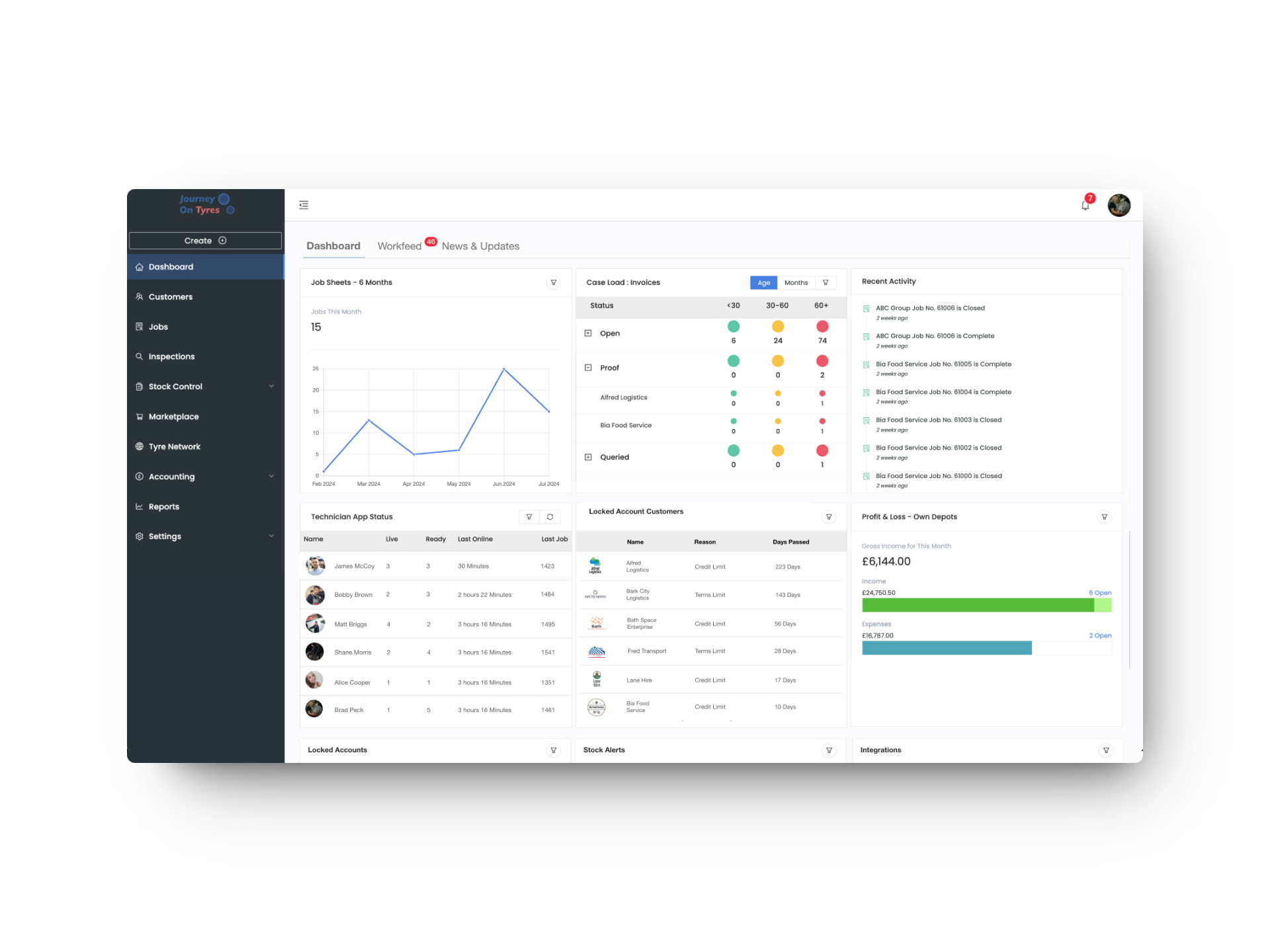
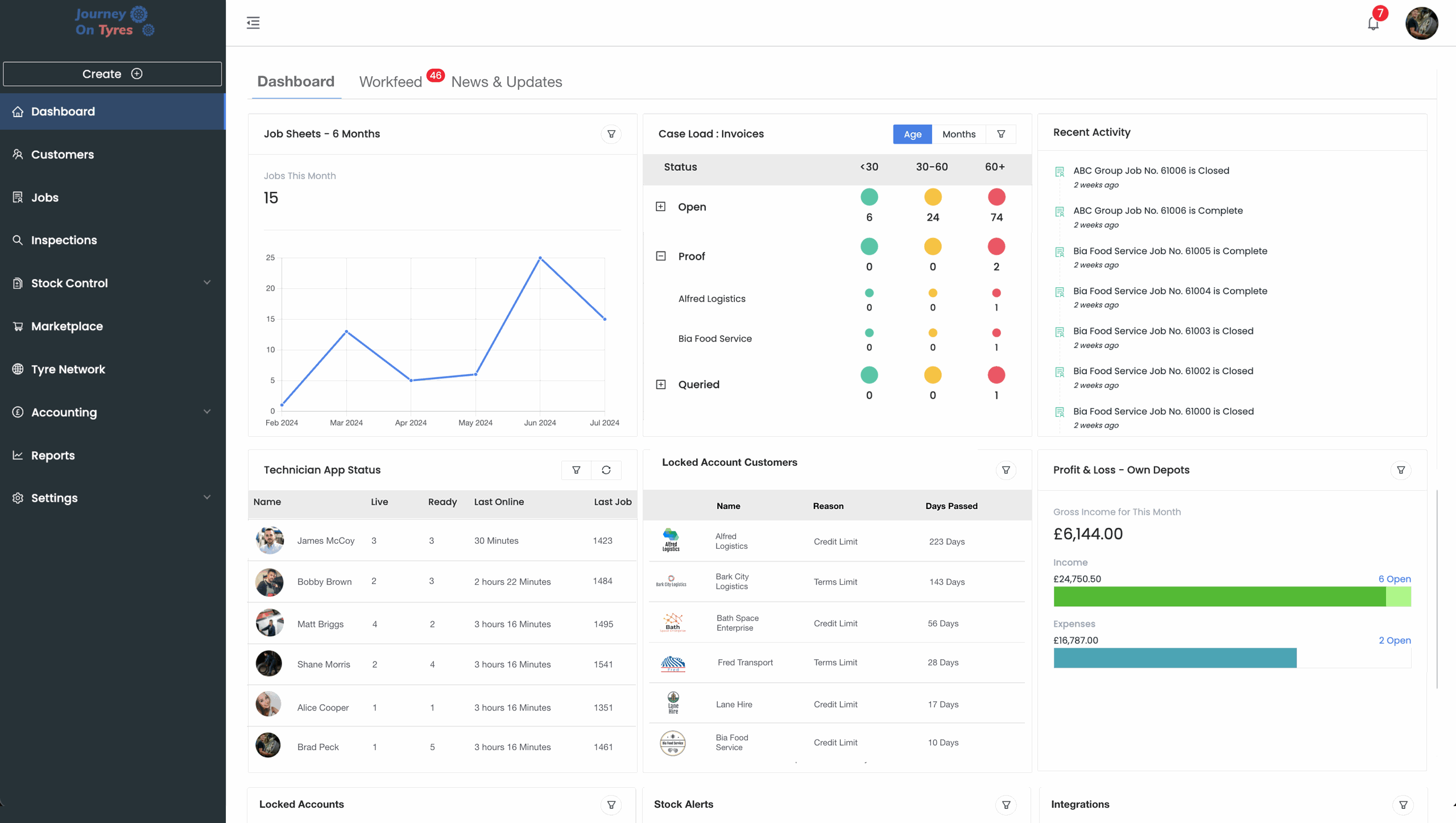
One live tyre business dashboard for profit, jobs, stock, inspections, compliance and 3rd-party performance. Smarter decisions, backed by data.
No setup fees · Cancel anytime
Trusted by leading tyre businesses across the world





Everything You Need in a Tyre Business Dashboard
Role-Based Dashboards
Give directors full control over what each role sees. Show technicians and managers only the live data that helps them perform, without the noise that isn't their concern.
Customer Dashboards
Give customers their own login to view compliance, expenditure and performance. Use one shared dashboard for every account, or build bespoke views per customer.
Presentation Mode
Walk stakeholders through live results in meetings, without exporting a single slide. Switch any dashboard into presentation view in a single click.
Jobs, Inspections & Compliance
Track every job and inspection from booking through to close. Monitor audit and compliance reporting alongside technician productivity, all updated in real time.
Stock, Casings & Customer Property
See real-time stock levels across every location, including casing management and customer-owned property. Never miss a reorder or lose track of a customer tyre.
Network & Accounting Performance
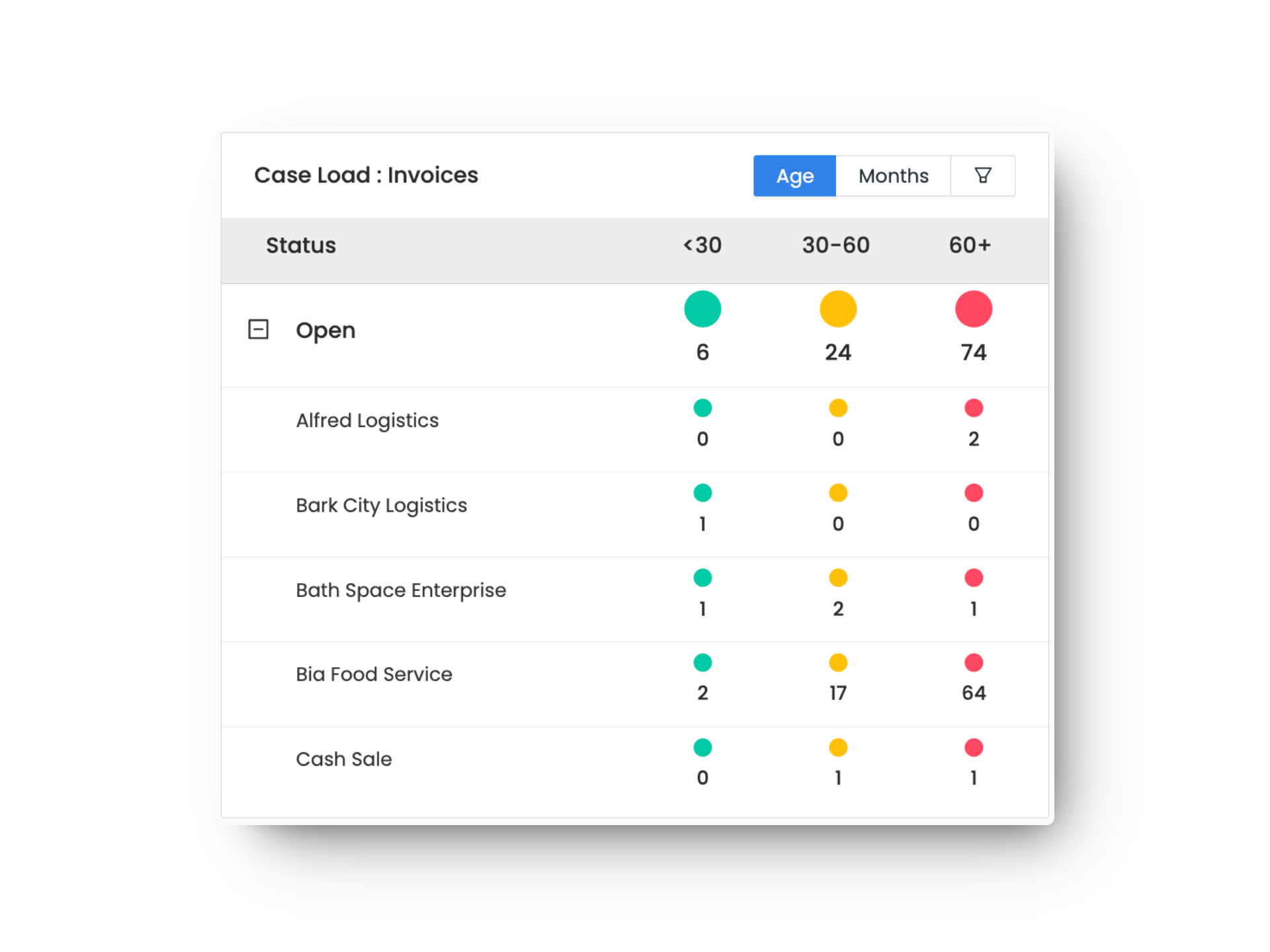
Track spend and performance across your 3rd-party network, alongside invoices, expenses and stock purchases, all live, updated as work happens across your business.
How a Tyre Business Dashboard Works in 3 Steps
01 | Connect Your Data
TyreOps automatically pulls in data from your jobs, stock, invoices and team activity. No manual input required: your dashboard populates itself as you work.
02 | Customise Your View
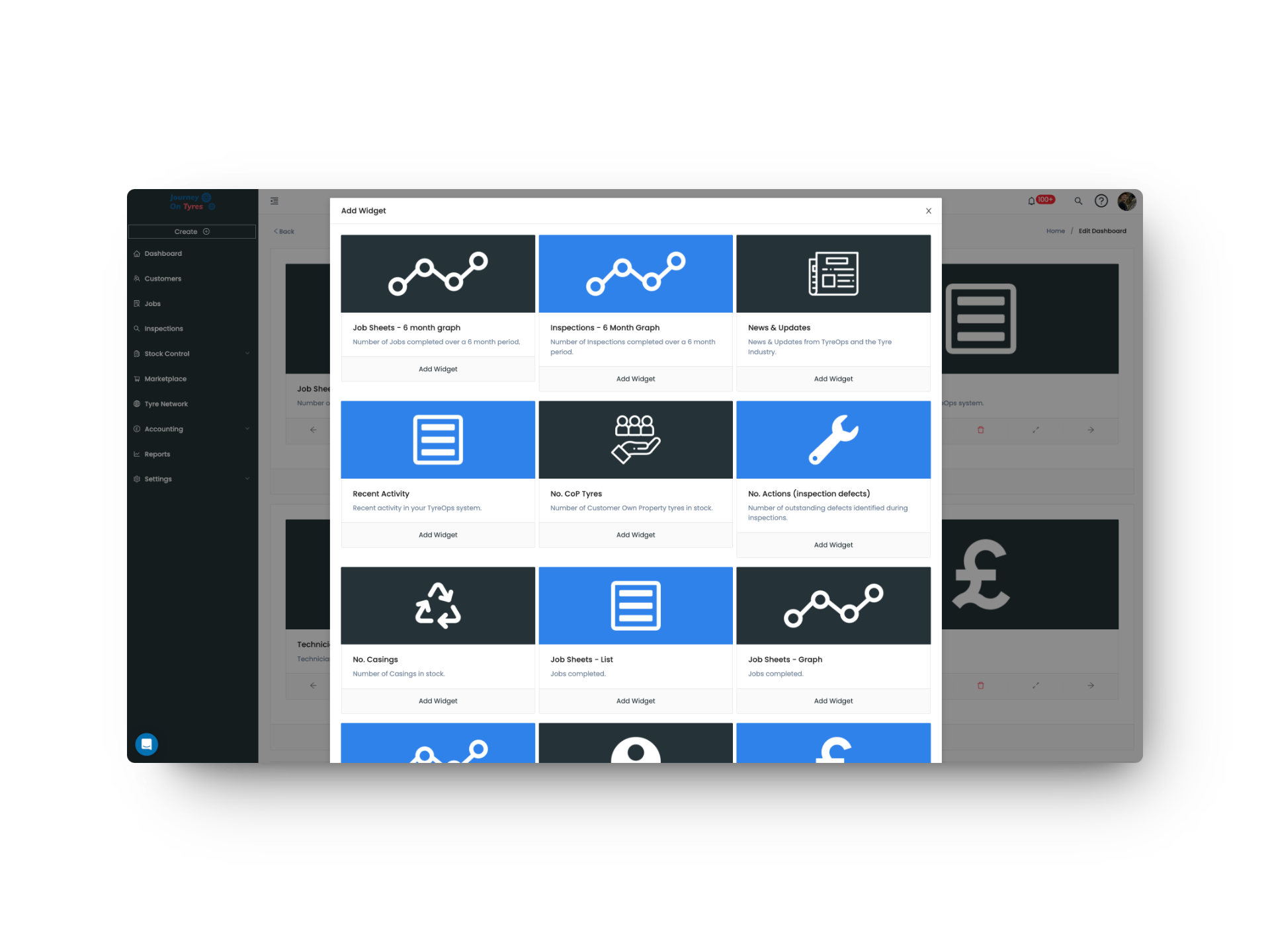
Drag and drop widgets to build a dashboard that shows exactly what matters to you. Set up role-based views for managers, owners and technicians.
03 | Make Smarter Decisions
Spot trends, identify bottlenecks and celebrate wins with real-time data. Schedule automated reports to keep stakeholders informed without lifting a finger.
What a Tyre Business Dashboard Means for You
Total Visibility
See every job, inspection and pound of profit live, across every location you run.
Customers Who Self-Serve
Give customers their own login for compliance, expenditure and performance, with no more chasing you for updates.
Faster, Better Decisions
Widgets built for tyre operations turn raw data into instant, actionable answers, not just numbers on a screen.
A Tyre Business Dashboard to See, Understand and Share
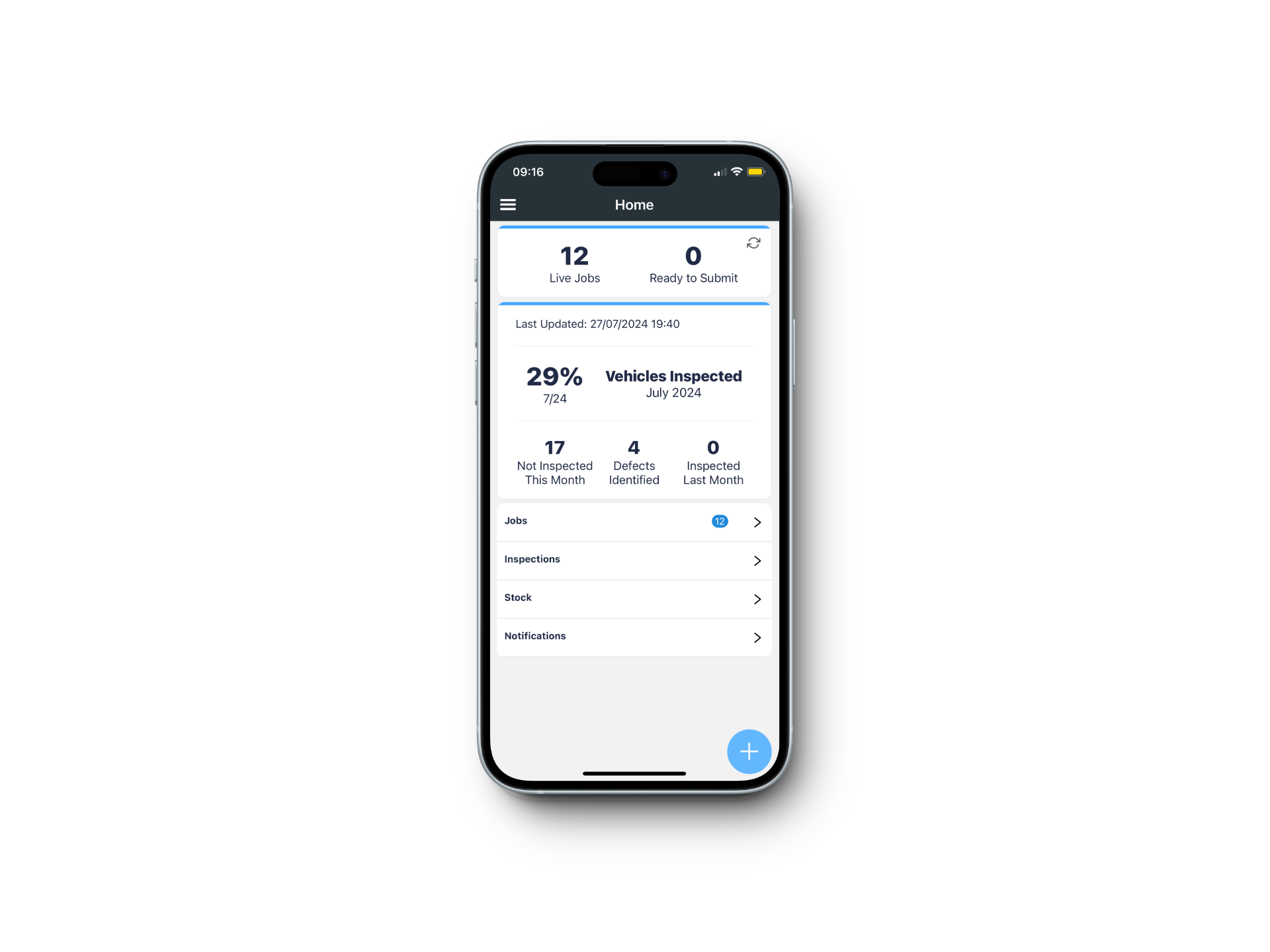
Real-Time KPIs in One View
Your tyre business dashboard consolidates every metric that matters into a single, intuitive view. No more switching between spreadsheets, whiteboards, and paper records to understand how your business is performing.
- Live revenue and profit tracking updated as jobs are completed
- Visual job pipeline showing bookings, in-progress, and completed work
- Stock level indicators across all tyre sizes and brands
- Technician utilisation rates and daily productivity scores
- Customer satisfaction trends and repeat visit analytics
Tyre Business Analytics That Drive Growth
Your tyre business dashboard turns raw data into actionable insights, while TyreOps reporting tools help you identify trends, forecast demand, and make strategic decisions backed by evidence rather than intuition.
- Automated weekly and monthly performance summaries sent to your inbox
- Compare performance across branches, technicians, and time periods
- Seasonal demand forecasting to optimise stock purchasing
- Profit margin analysis by tyre brand, size, and service type
- One-click export to PDF and CSV for accountants and stakeholders
A Tyre Business Dashboard Built Around Your Team
Every tyre business dashboard is built around who's looking at it. Directors decide what each role sees, customers get their own live view, and any dashboard can be presented in a single click.
- Role-based dashboards, controlled entirely by your directors
- Live customer logins for compliance, expenditure and performance
- One shared customer dashboard, or bespoke views per account
- Presentation Mode for live walkthroughs in any meeting
- Multiple named dashboards, saved and shared with the right people
Features That Feed Your Tyre Business Dashboard
TyreOps modules are built to work together. Explore how other features feed your tyre business dashboard.
Go deeper with advanced reporting, custom dashboards and scheduled exports for accountants and stakeholders.
Jobs ManagementThe job data feeding your dashboard. Create, assign and track tyre fitting jobs from any device.
Stock ControlReal-time stock levels across all locations. Low stock alerts feed directly into your dashboard widgets.
Browse All FeaturesSee everything TyreOps can do, from digital inspections to automated invoicing.
See TyreOps in Action
Book a personalised demo and see how TyreOps fits your tyre operations. 30 minutes. No obligation.
Trusted by leading UK tyre businesses



Tyre Business Dashboard FAQs
Can different roles or customers see different dashboards?
How often is the tyre business dashboard updated?
Can I create custom reports for my accountant?
Does the tyre business dashboard support multiple branches?
Can I customise which widgets appear on my dashboard?
What KPIs does a tyre business dashboard track?
Ready to Run Your Tyre Business on TyreOps?
100+ tyre businesses already use TyreOps