

Tyre Accounting Software With Xero, QuickBooks and Sage Built In
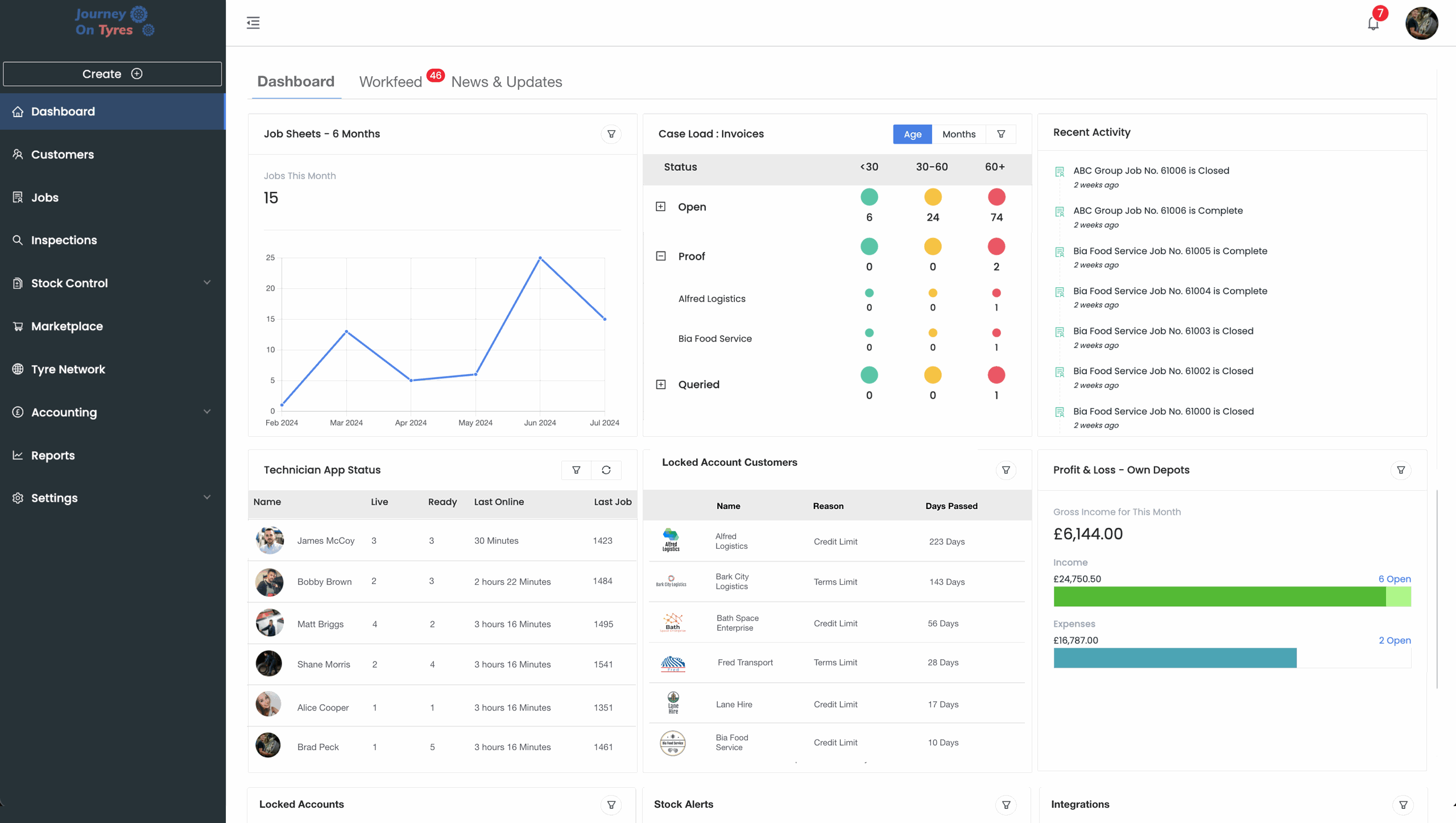
Tyre accounting software that handles everything from automatic invoice generation to real-time profit tracking. Sync with Xero, QuickBooks, and Sage. Say goodbye to double entry.
No setup fees · No credit card · Cancel anytime
Trusted by leading tyre businesses across the world
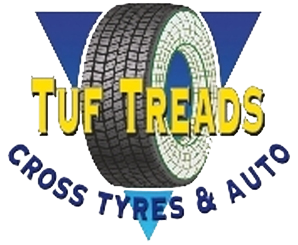




Everything You Need From Tyre Accounting Software
Automatic Invoicing
Generate professional invoices the moment a job is completed. No manual data entry, no missed charges, no delays in getting paid.
Payment Tracking
Track every payment in real time. See outstanding balances, overdue invoices, and payment history for every customer at a glance.
VAT Management
Automatically calculate and apply the correct VAT rates to every transaction. Generate MTD-ready VAT returns without the spreadsheet headaches.
Multi-Currency Support
Handle transactions in multiple currencies with automatic exchange rate calculations. Perfect for businesses importing tyres from overseas suppliers.
Profit Reporting
See your true profit margins on every job, tyre brand, and customer. Real-time dashboards show exactly where your money is going and coming from.
Xero, QuickBooks and Sage Integrations
Sync with Xero, QuickBooks and Sage. All invoices, payments, and expenses flow automatically into your existing accounting software.
How Tyre Accounting Software Works in 3 Steps
01 | Connect Your Accounting Tool
Link TyreOps to Xero, QuickBooks, or Sage in a few clicks. Your chart of accounts, tax rates, and customer records sync across so everything is mapped from day one.
02 | Complete Jobs as Normal
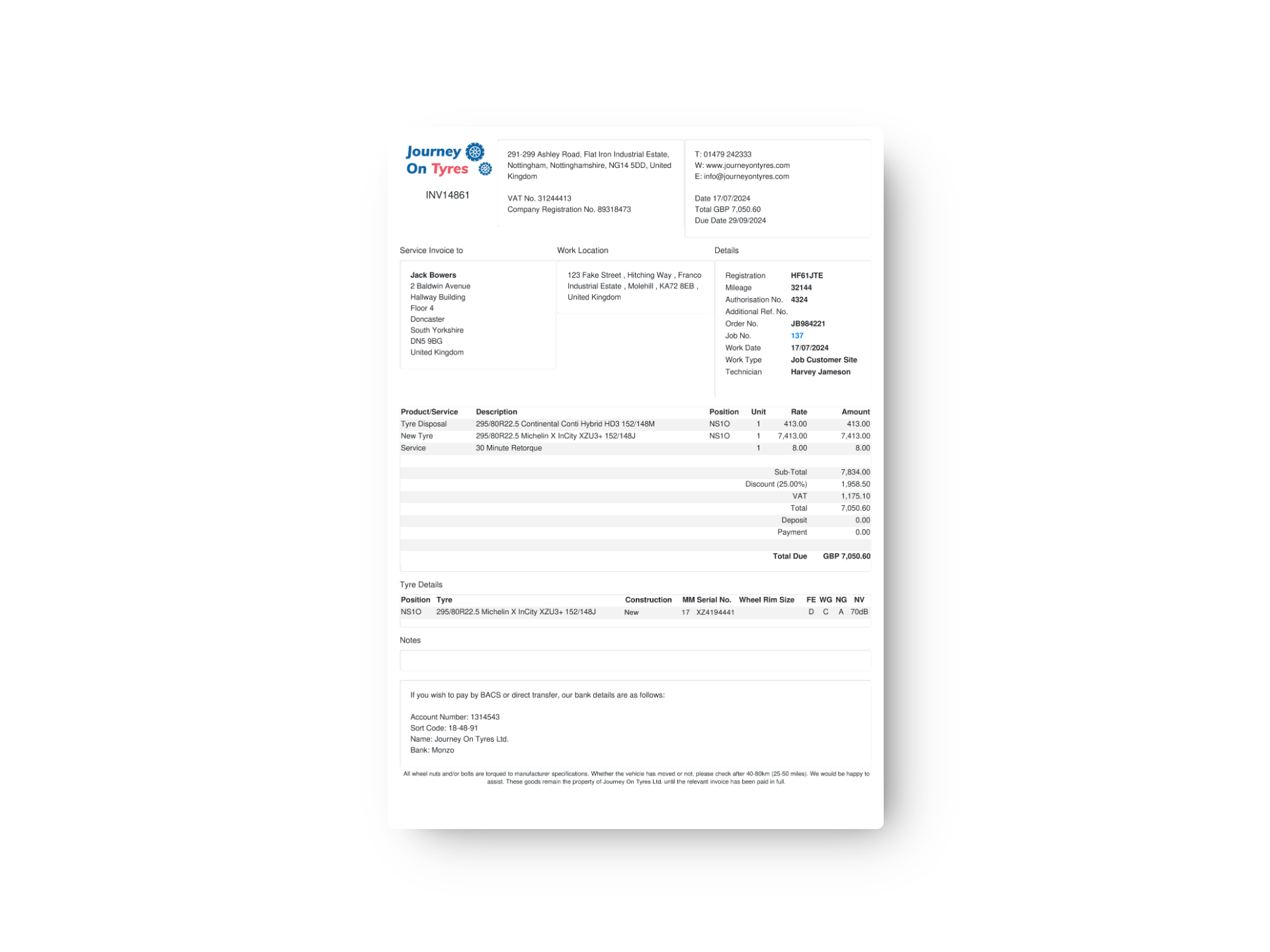
Every time a technician finishes a job, TyreOps automatically generates a fully itemised invoice with parts, labour, disposal fees, and the correct VAT applied.
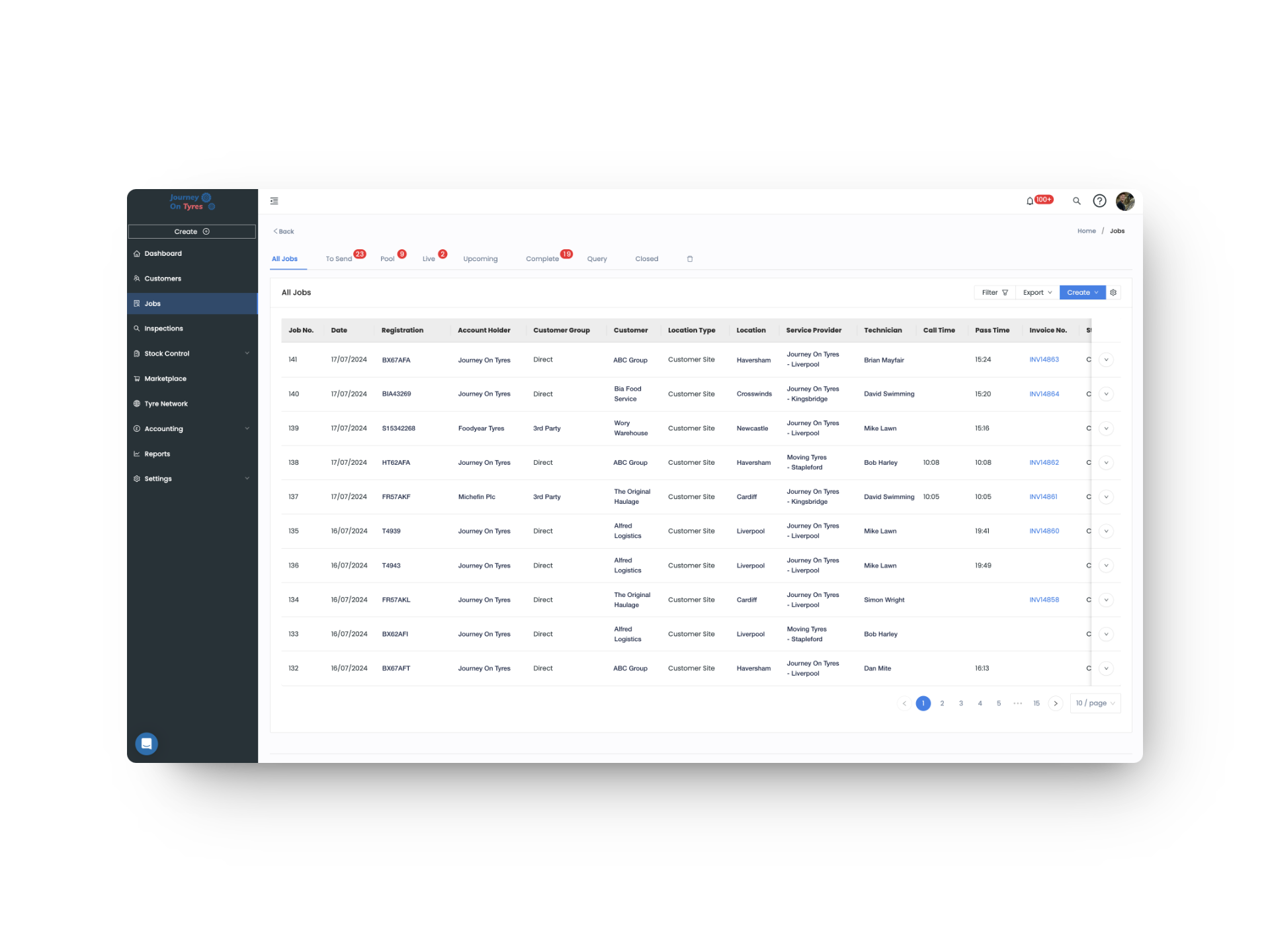
03 | Sync Automatically
Invoices, payments, and credit notes flow into your accounting software in real time. No spreadsheets, no double entry: your books stay up to date without any extra effort.
Faster invoicing
Invoice accuracy
Setup costs
Accounting integrations
Tyre Invoicing That Happens Automatically
With tyre accounting software, every completed job generates a professional, branded invoice instantly. Parts, labour, disposal fees, and VAT are all calculated and applied without lifting a finger.
- Auto-generate invoices from completed job cards with full line-item detail
- Customise invoice templates with your branding, payment terms, and notes
- Send invoices via email or SMS directly from TyreOps
- Track payment status with automatic reminders for overdue accounts
- Support for pro-forma invoices, credit notes, and deposit payments
Tyre Accounting Software With Reports You Can Act On
Tyre accounting software gives you a clear picture of your business finances without waiting for your accountant. Real-time profit and loss, cash flow forecasting, and margin analysis at your fingertips.
- Real-time profit and loss statements broken down by job, customer, or tyre brand
- Cash flow forecasting to plan ahead and avoid shortfalls
- Margin analysis across services, products, and individual technicians
- Automated bank reconciliation to save hours of manual matching
- Export-ready reports for your accountant in CSV, PDF, or direct sync
Features That Work With Tyre Accounting Software
TyreOps modules are built to work together. Explore how other features work alongside your tyre accounting software.
Create, assign and track tyre jobs from any device, with mobile job cards for your fitters.
Reports & AnalyticsGo deeper with advanced reporting, custom dashboards and scheduled exports for stakeholders.
Stock ControlReal-time stock levels across every location, with low-stock alerts and reorder suggestions.
Browse All FeaturesSee everything TyreOps can do, from real-time dashboards to automated invoicing.
See TyreOps in Action
Book a personalised demo and see how TyreOps fits your tyre operations. 30 minutes. No obligation.
Trusted by leading UK tyre businesses



Tyre Accounting Software FAQs
Which accounting packages does the tyre accounting software integrate with?
Can TyreOps handle Making Tax Digital (MTD) for VAT?
How does automatic invoicing work in tyre accounting software?
Can I customise my invoice templates?
Does the tyre accounting software work without Xero, QuickBooks or Sage?
Can I track overdue payments and send reminders?



100+ tyre businesses already use TyreOps