

Tyre Customer Management Software for Fleets and Vehicles
TyreOps tyre customer management software handles retail and account customers alike across the whole tyre supply chain, with policies, logins and reporting that run automatically once you set them.
No setup fees · Cancel anytime
Trusted by leading tyre businesses across the world



Tyre Customer Management Software, Built Around Your Customers
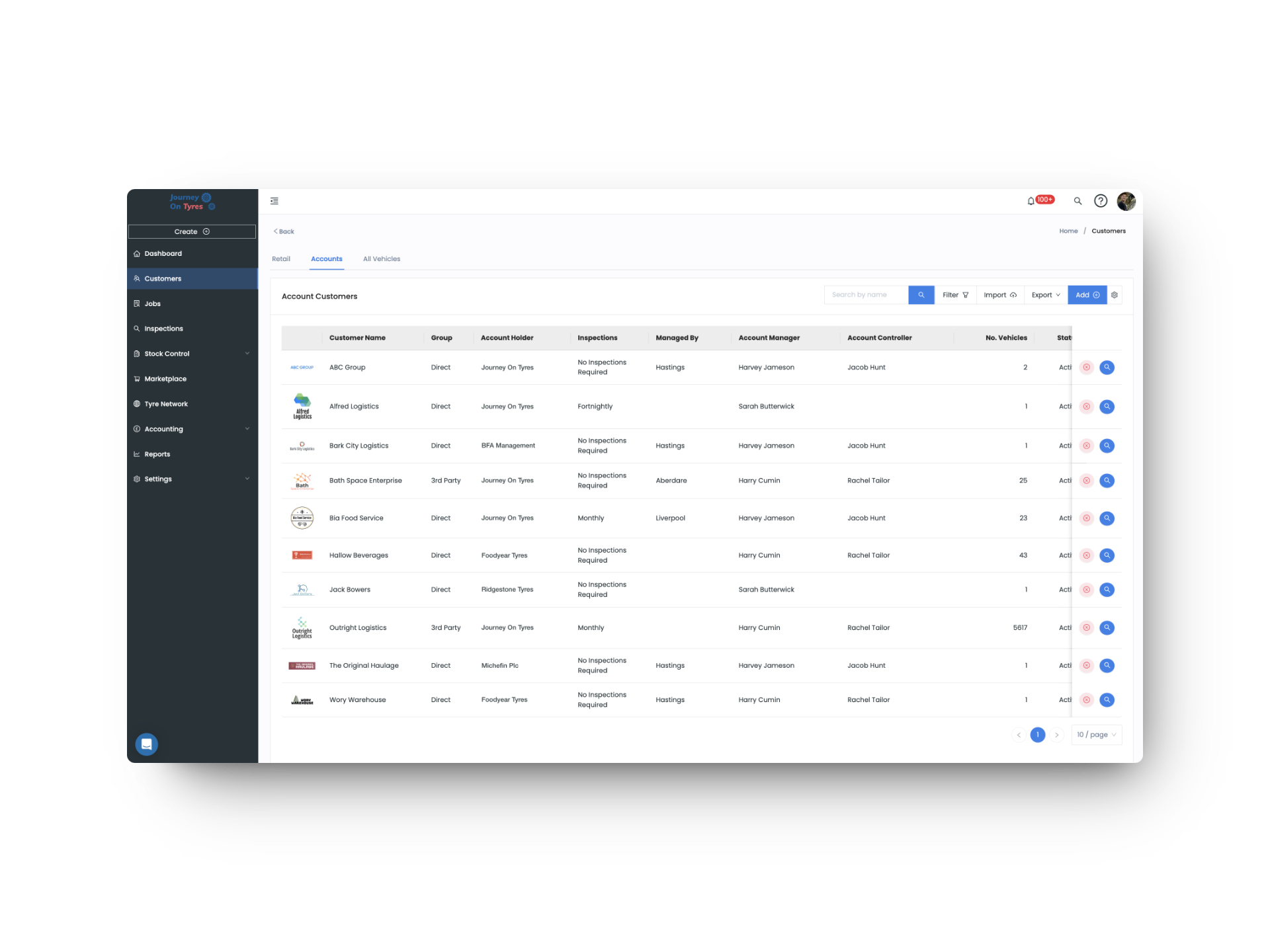
From quick retail sales to full account fleets, TyreOps manages customers, vehicles, logins and policies across the whole tyre supply chain.
Two Customer Types, One System
Retail customers are fast and minimal to set up, while Account customers get full billing, contacts and vehicle records, covering the entire tyre supply chain.
Customer Logins, Built for Self-Service
Give customers their own login, scoped exactly to what you choose, so they can view jobs, approve invoices, add order numbers, or even create jobs themselves.
Full Vehicle History in One View
A 360-degree view of every vehicle: current tyres, tread, pressure, serial numbers, hyperlinked jobs, inspections, mileage, invoices and a full audit trail.
Fleet Accounts and Locations, Organised Properly
Group vehicles by fleet under a billing customer, base them at specific locations, and run profitability analytics on every fleet you service.
Automated Reporting, Filtered to the Right People
Job sheet and inspection PDFs send automatically, filtered by fleet or location, so a transport manager only ever sees the vehicles they’re responsible for.
Policy & Compliance, Enforced Automatically
Set tyre fitment policy, tread depth thresholds and mandatory retorques or inspections for account customers, enforced automatically, with tracking that supports EU Taxonomy alignment reporting.
How Tyre Customer Management Software Works in 3 Steps
01 | Add Your Customer
Add your customer in seconds for retail, or set up billing and contacts for an account, pulling customers and suppliers from Xero, QuickBooks or Sage. Add vehicles by Excel, website, or on the go.
02 | Set Customer Logins & Policies
Give customers their own login to see exactly what you choose, then set tyre fitment policy, tread thresholds and mandatory requirements on top.
03 | Let Data Flow Automatically
Job sheet and inspection PDFs email automatically, on your schedule, filtered by fleet or location, so the right person always gets the right report.
What Tyre Customer Management Software Means for Your Business
Full Visibility, Zero Guesswork
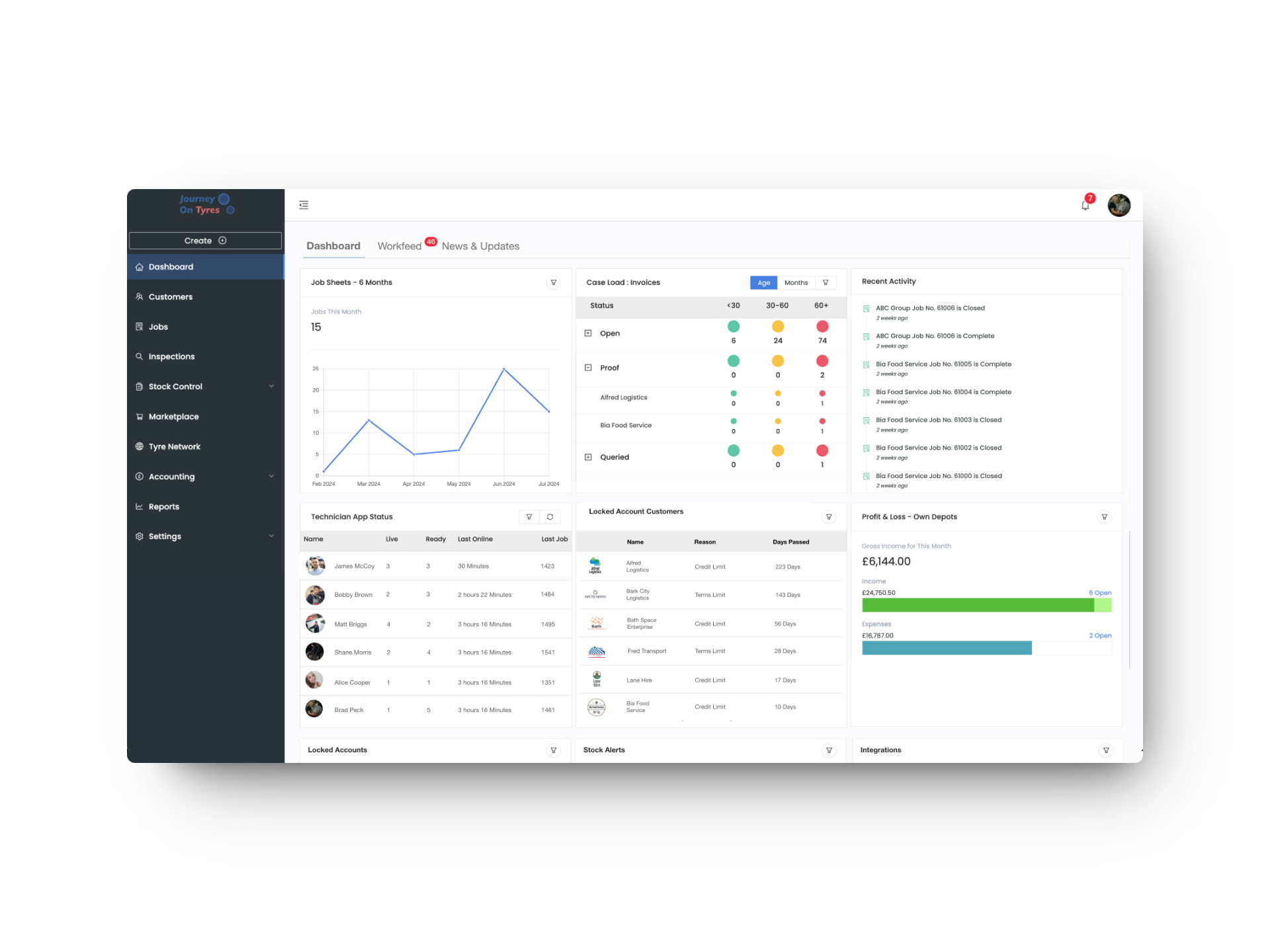
Every vehicle, fleet and invoice tracked in one place, with a full audit trail of who changed what.
Customers Who Serve Themselves
Give customers their own login, or send automated reports. Either way, they stop chasing you for updates.
Compliance That Runs Itself
Policies, thresholds and mandatory checks are enforced automatically, on every job, without manual oversight.
Tyre Customer Management for Fleets, Logins and Policies
Manage Fleet Accounts, Vehicles and Locations
Tyre customer management software keeps vehicles, fleets and locations organised properly from the start. Add, edit or deactivate vehicles via Excel, the website, or on the go in the app, with smart matching so a moved vehicle updates instead of duplicating. Group them under the right fleet, and run profitability analytics to see which are worth keeping.
- Full tyre, tread and pressure history per vehicle, with source noted
- Add, edit or deactivate vehicles via Excel, the website, or the app
- Vehicles based at specific locations, with providers assigned per site
- Per-fleet profitability analytics to spot underperforming work
A Fleet Customer Portal for Their Own Data
Our tyre customer management software gives customers their own login, scoped exactly to what you choose, or lets you skip the login entirely and leave automated reports to do the work. Job sheets and inspection reports reach the right person, filtered right down to fleet or location level.
- Customer logins scoped to jobs, inspections or invoices only
- Customers can create jobs and approve invoices themselves
- Job sheet PDFs sent instantly, on close, or after review and edit
- Reports filtered by fleet or location, down to a single transport manager
Enforce Tyre Policies on Fleet Accounts Automatically
Set the rules once, and the tyre customer management software enforces them on every job. Tyre fitment policy, tread depth thresholds, and mandatory retorques or inspections apply automatically, with tyre efficiency data tracked and verified through EPREL, supporting your EU Taxonomy alignment reporting.
- Tyre fitment policy by brand, class or specific product
- Tread depth removal thresholds set per tyre type
- Mandatory retorques and inspections enforced on every job
- Tyre efficiency data tracked via EPREL, supporting EU Taxonomy alignment
Features That Work With Tyre Customer Management Software
TyreOps modules are built to work together. Explore how other features work alongside your tyre customer management software.
Automate invoicing, sync with Xero, QuickBooks and Sage, and set payment terms and credit limits per customer.
Jobs ManagementThe job data feeding your dashboard. Create, assign and track tyre fitting jobs from any device.
Tyre NetworkReal-time stock levels across all locations. Low stock alerts feed directly into your dashboard widgets.
Browse All FeaturesSee everything TyreOps can do, from digital inspections to automated invoicing.
See TyreOps in Action
Book a personalised demo and see how TyreOps fits your tyre operations. 30 minutes. No obligation.
Trusted by leading UK tyre businesses


Tyre Customer Management Software FAQs
What's the difference between a Retail and an Account customer?
Does the tyre customer management software give customers their own login?
Can I send reports to different people within the same fleet?
Can I set rules that technicians must follow for a specific customer?
Does TyreOps help with EU Taxonomy compliance?
Can I set credit limits in the tyre customer management software?
Ready to Run Your Tyre Business on TyreOps?
100+ tyre businesses already use TyreOps