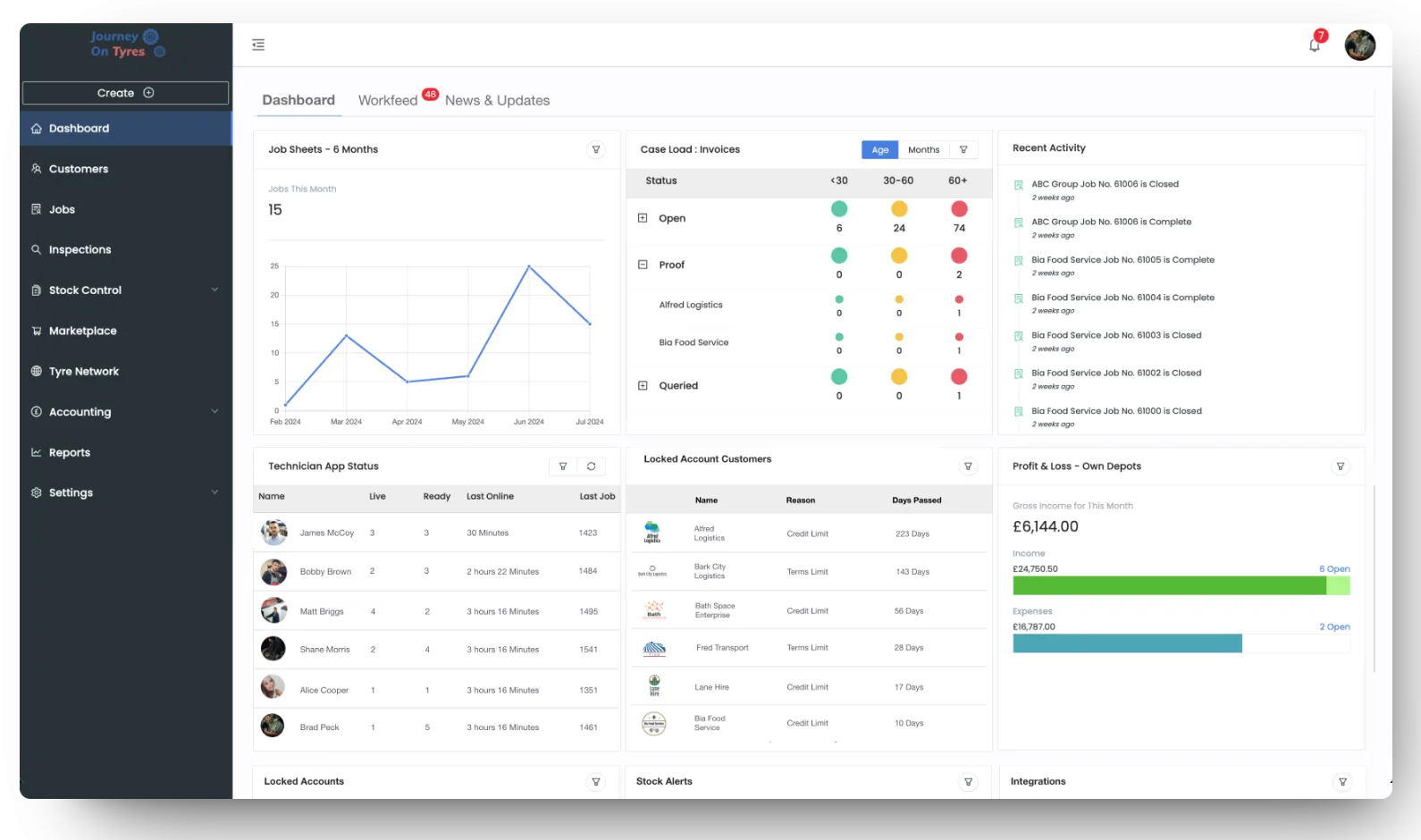
If you have been searching for tyre shop management software free of charge, you are not alone. Most tyre businesses start out on a diary, a spreadsheet and a card machine, and the idea of paying a monthly fee for software can feel like a cost you could do without. The honest answer is that free options do exist, but very few are built for tyres, and the ones that are tend to stop short exactly where a tyre shop needs them most.
This guide looks at what “free” usually means, where free tools fall down for a tyre business, what paid software actually costs, and how to tell which one suits the size of your shop right now.
What does “free” tyre shop software usually mean?
Free software tends to come in one of three forms, and each one costs you something different.
- A free trial. You get the full product for a set number of days, then you pay or lose access.
- A freemium plan. A cut-down version stays free forever, with limits on users, records or features that push you towards a paid tier once you grow.
- General tools you already own. A spreadsheet, a shared calendar and a basic invoicing app, stitched together by you.
None of these is wrong. The question is whether the gaps cost you more in time and missed money than a paid system would cost in fees.
Is there any free tyre shop management software?
Yes, but mostly in the form of general garage or repair shop tools with a free tier, rather than software designed around tyres. They can handle bookings and simple invoices well enough. Where they struggle is anything specific to the tyre trade: searching by tyre size, tracking part-worns separately from new stock, logging casings, recording customer-owned tyres or adding disposal charges automatically.
Fully free, tyre-specific systems are hard to find. A tyre database with hundreds of thousands of sizes and patterns has to be kept up to date, and that work has to be paid for somewhere.
What software can I use to manage my tyre shop?
Before comparing prices, it helps to be clear on what a tyre shop actually needs software to do. For most independents and multi-bay shops, the list looks like this:
- Quotes and bookings. A price you can give at the counter or over the phone, held for as long as you choose.
- Jobs. A job sheet your technician can work from, with the vehicle, tyres, torque settings and any extra work found.
- Stock. Live levels for new tyres, part-worns and demounts, plus casings and customer-owned tyres.
- Invoicing and payments. Invoices raised from the job, deposits recorded, and a clear end-of-day cash-up.
- Accounts. A connection to your accounting package so nothing has to be typed in twice.
- Reporting. Margin per job, best-selling sizes and how each technician is getting on.
A free tool might cover two or three of these. The rest end up on paper, in a spreadsheet or in your head.
Where free tyre shop software falls short
User and transaction limits
Freemium plans are usually capped on the number of users or records. That works for a sole trader, but the moment a second fitter or someone on the counter needs a login, you hit the limit. Sharing one login between several people also means you lose any record of who did what.
No tyre database or size search
General software expects you to type every product in yourself. In a tyre shop that means building and maintaining your own list of sizes, brands, load ratings and speed ratings. Searching for a 205/55 R16 should take seconds, not a scroll through a spreadsheet tab.
No casing, part-worn or customer-owned stock
Tyre stock is not one simple list. You have new tyres, part-worns, demounts, casings waiting to go back for credit, and customers’ own tyres sitting in your store. Free tools rarely separate these, so stock counts drift and casings get forgotten, along with the credit attached to them.
No accounting sync
If your invoices do not flow into your accounts automatically, someone has to re-key them. That takes time every week, and every re-keyed invoice is another chance for a mistake that your accountant has to find later.
Your data may be hard to move
Some free tools make it easy to get data in and hard to get it out. Before you commit years of customer and vehicle history to a system, check that you can export it in a format another system can read.
How much does tyre shop software cost?
Paid tyre software is normally charged monthly, and pricing models vary. Some charge per user, some per site and some by how much work goes through the system. It is worth comparing on what you would actually pay for a normal month, not on the starting price.
As a real example, here is how TyreOps pricing is set out. Every plan is charged on transactions, where a transaction is a job, an inspection, an invoice, a wholesale order or a retread created in the system.
| Plan | Monthly price (+VAT) | Transactions per month | Users |
|---|---|---|---|
| Solo | £80 | Up to 100 | 1 |
| Starter | £150 | Up to 500 | 5 |
| Professional | £300 | Up to 1,000 | 10 |
| Enterprise | Custom quote | Custom | Unlimited |
A few details matter more than the monthly price. Quotes are free, so pricing up a customer who walks away costs nothing. Editing a job, amending an invoice or raising a credit note does not use a new transaction either, so fixing a mistake never costs you twice. Jobs, inspections, stock control, casings, accounting, the Marketplace and the Tyre Network are included on every plan. Annual billing saves 10%.
TyreOps does not offer a free trial. Instead, you get a personalised demo and setup, so that if you do come on board, the system is configured around the way your shop already works.
What is the best free software for shop management?
There is no single best free option for every shop, because it depends on how many people need access, how much stock you carry and how many jobs go through each week. Rather than chasing a name, judge any tool, free or paid, against these questions:
- Can I search stock by tyre size and see what is on the shelf right now?
- Can part-worns, casings and customer-owned tyres be tracked separately from new stock?
- Can a quote become an invoice and a job without retyping anything?
- Does it connect to my accounting software?
- How many people can log in, and what happens when I add a fitter?
- Can I export all my data if I leave?
- Is there someone to call when something goes wrong on a busy Saturday?
If a free tool answers yes to most of these, it may be all you need for now. If it answers no to the stock and accounting questions, the savings are probably smaller than they look.
Free vs paid tyre shop management software compared
| Typical free tool | Paid tyre-specific software | |
|---|---|---|
| Monthly cost | £0 | From around £80 + VAT for a single user on TyreOps |
| Tyre size search | Rarely included | Built in (TyreOps covers 210,000+ tyres) |
| Part-worns, casings, customer-owned stock | Usually not tracked | Tracked separately |
| Quote to invoice to job | Often separate steps | One chain, nothing retyped |
| Accounting sync | Limited or none | Xero, QuickBooks and Sage on TyreOps |
| Users | Often capped at one or two | Set by plan |
| Support | Help pages or forums | Live chat and email as standard on TyreOps |
When free is enough, and when it starts costing you
A free tool can be enough if you are a sole trader doing a handful of fittings a week, you hold very little stock, and you are happy reconciling your own books. At that size, the admin is manageable and the main job is getting the work done.
It starts costing you once any of these happen:
- You take on a second fitter or someone to run the counter.
- You hold enough stock that a count takes more than an hour.
- Casings pile up and you are not sure what credit you are owed.
- Your accountant is chasing missing invoices at the end of each quarter.
- You find out a job lost money weeks after the customer drove away.
That last point is often the one that tips the balance. If you cannot see your margin while you build the quote, you are relying on memory to price every job. A system that shows live gross profit as you add each line takes that guesswork out.
The cost of admin is easy to underestimate because it does not show up on a bank statement. If you or a member of staff spends a few hours each week retyping invoices, chasing stock or sorting paperwork, put a value on that time and compare it with the monthly fee. For many shops, the paid system works out cheaper long before it feels like it.
A simple way to test this is to keep a note for one normal week. Write down every time someone retypes an invoice, hunts for a tyre that the spreadsheet says is in stock, or phones a customer back because a quote was lost. Most shop owners are surprised by the total, and it gives you a real number to weigh against a monthly fee rather than a gut feeling.
Frequently asked questions
Can I download tyre management software for free?
Some general garage and invoicing tools offer a free download or free tier, but many modern tyre systems run in the browser and on mobile apps rather than as a download. TyreOps works from any device with no installation, and is charged monthly from £80 + VAT.
Is free tyre shop software safe for customer data?
It can be, but check before you sign up. You are responsible for your customers’ names, phone numbers and vehicle details under UK GDPR, so look for clear information on where data is stored, who can access it and how you would get it back if you leave.
Can I move from free software to a paid system without losing my data?
Usually, yes, as long as your current tool lets you export customer, vehicle and stock records. Export everything before you switch, and ask the new provider how they handle importing it during setup.
What does tyre shop software do?
Tyre shop software brings quoting, stock, fitting jobs, invoicing and accounts into one system built around tyres. Instead of a diary, a spreadsheet and a separate invoicing app, everything from the first quote to the final payment sits in one place.
Choosing the right option for your shop
Free tyre shop management software can get you started, but it rarely covers stock, casings and accounts properly. If you are past the one-person stage, compare the true monthly cost of a paid system against the hours you are currently spending on admin. You can see how TyreOps would work for your shop on the retail tyre shop software page, check what each plan includes on the pricing page, or read how automated invoicing and accounting and tyre stock control work in practice.
TyreOps Team
Content Team at TyreOps
Sharing practical insights on tyre business management, technology and industry best practices.