

Tyre Service Network Software for Network Managers
Tyre service network software that lets you build a network you can actually verify, send work to the right provider and check every job before a single invoice gets paid.
Trusted by 100+ tyre businesses · No setup fees
Trusted by leading tyre businesses across the world





How Tyre Service Network Software Works in Six Steps
See exactly what a network manager does inside our tyre service network software, from finding the right provider to knowing which ones to keep.
- 1
See Who’s Available
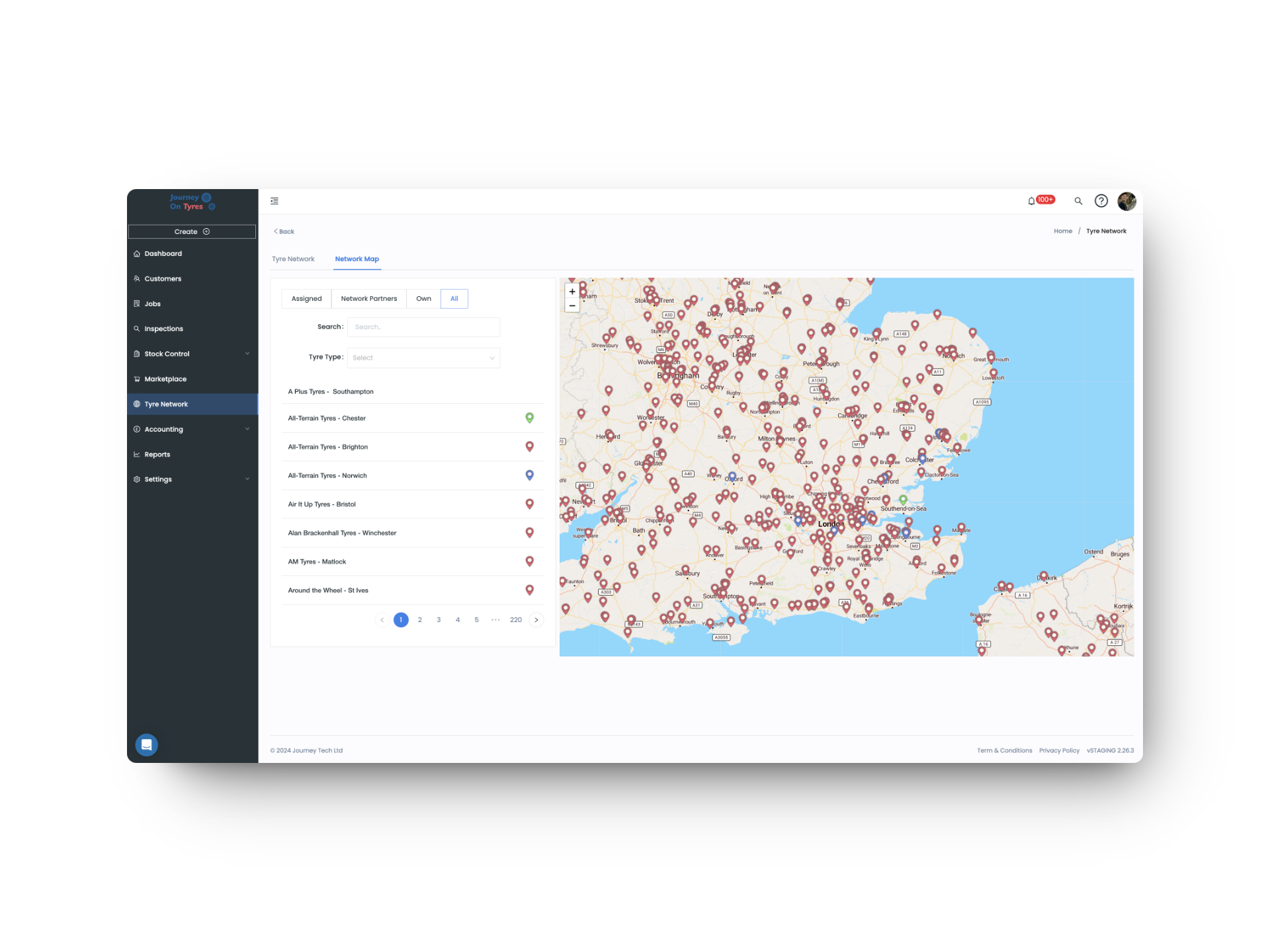
The network map shows providers by location and specialism, with policy tyre stock checked before you commit.
No blind dispatch to a provider who can’t help.
- 2
Send the Work
The job lands directly in the provider’s TyreOps account, and GPS coordinates can be texted straight to them.
No phone calls, no re-keyed job sheets.
- 3
Track It Live
Once accepted, the provider assigns it to their own technician, with full vehicle history already attached.
You can see progress without asking for it.
- 4
Check Before You Pay
The provider checks and edits their own work first, then it comes to you for approval.
Two sets of eyes before anything is billed.
- 5
Pay and Bill in One Step
Approving creates their invoice and your expense, with the exact cost pulled into your customer invoice.
Margin is visible before you send anything out.
- 6
Review Who’s Earning It
Network reports show performance and spend per partner, month after month.
You know which providers to keep and which to drop.
One Tyre Service Network, Fully Accounted For
Three Partner Types, Properly Tracked
Track network partners, breakdown-only providers, and unaccredited ones still working through insurance and technician licences.
Everything a Partner Holds, Visible
See every job, inspection, customer-owned tyre and casing a partner holds on your behalf, alongside every invoice you’ve paid them.
Send Work to the Right Provider
Check whether a provider holds the customer’s policy tyre before you send, and see which providers are nearby if they don’t.
Nothing Paid Without Checking
Completed work is checked by the provider, then approved by you, before any invoice or payment is created on either side.
Margins You Can See Live
Third-party invoices pull through the exact amount you paid a provider, so your margin is visible while you build the customer invoice.
Find New Partners on the Map
Search the network map by location and the tyre work a provider specialises in, then manage every connection from one place.
Three Types
Network, Breakdown, Unaccredited
Zero
Double Entry Between Accounts
Every Job
Approved Before You Pay
Worldwide
Build a Network Anywhere
What Network Managers Build and Send
Build a Service Provider Network You Can Verify
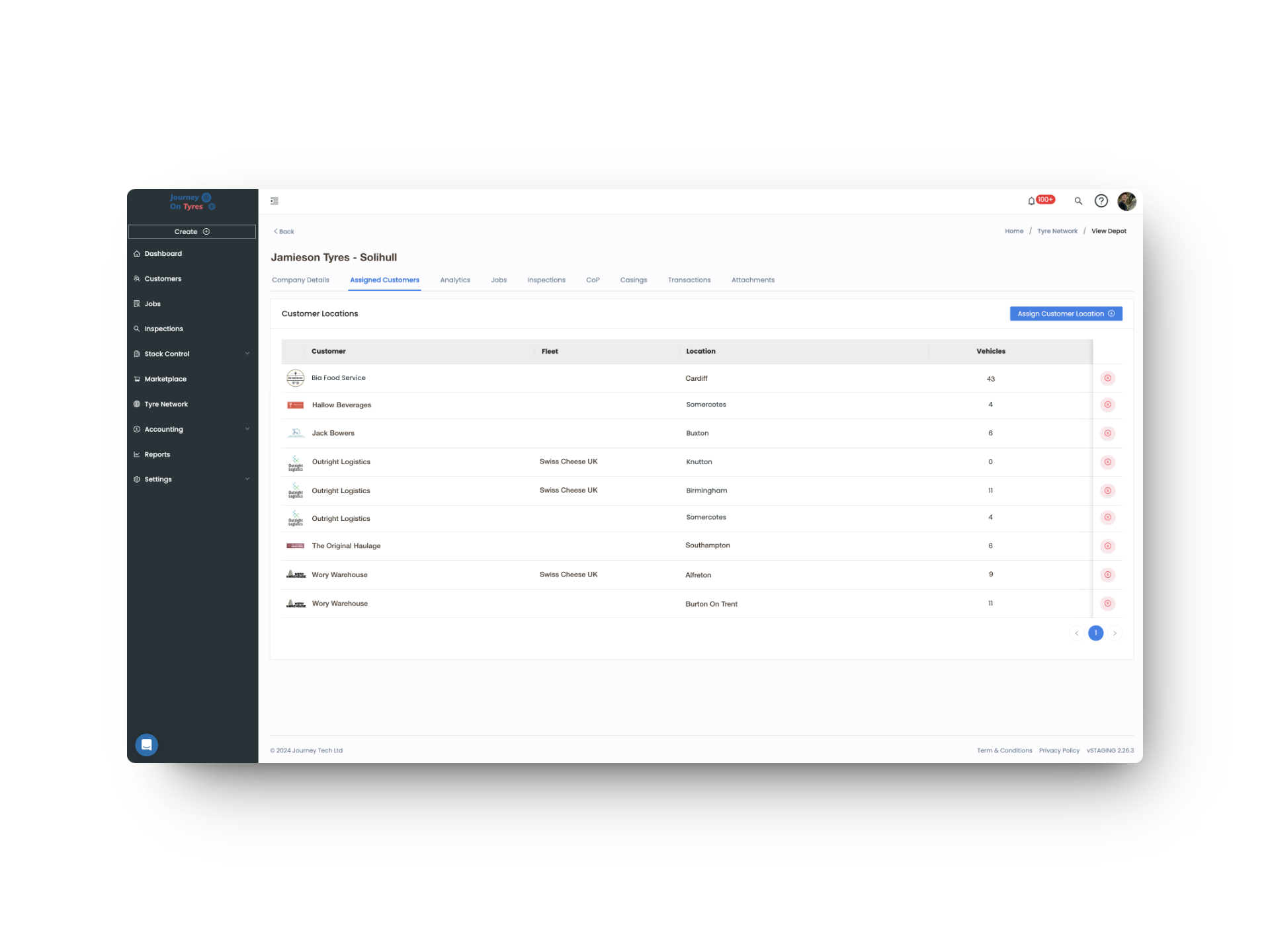
With tyre service network software, you set up network partners assigned to specific fleets and locations, breakdown-only providers, or track ones still working through insurance and technician licences. Click into any partner to see their location, the jobs and inspections they’ve done, the customer property and casings they hold, and every invoice you’ve paid them.
- Three partner types: network, breakdown-only, unaccredited
- Fleets and locations assigned per provider
- Jobs, inspections, customer property and casings held, all visible
- Network map for finding and connecting with new partners
Send, Check and Pay Through Your Tyre Service Network
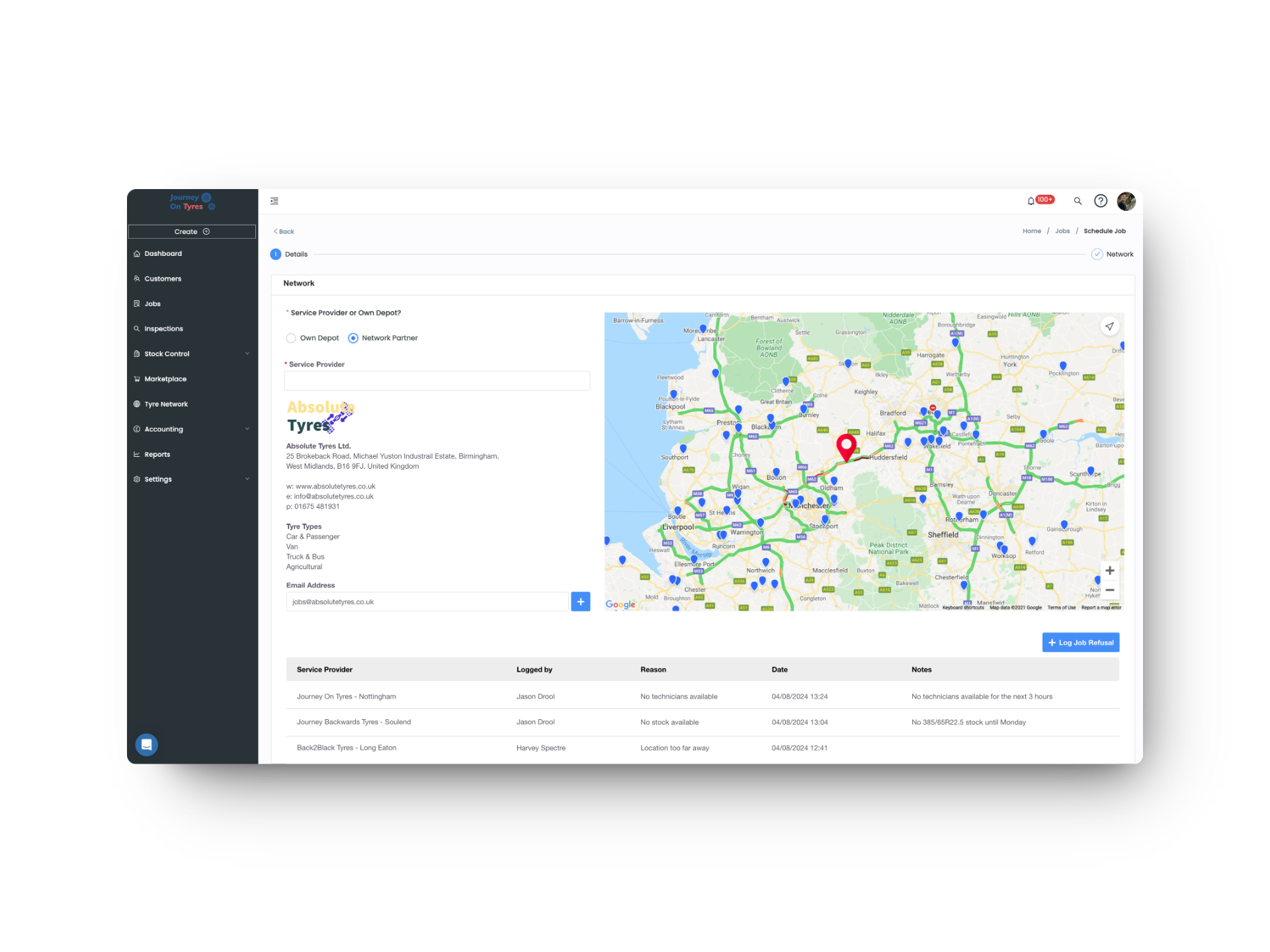
With tyre service network software, you can check a provider holds the right tyre before you send, and text GPS coordinates straight to them. When the work comes back, they check it first and you approve it second. Approval creates their invoice and your expense in one step, with the exact cost pulled into the invoice you send your own customer.
- Policy tyre stock checked before you dispatch
- GPS coordinates sent by text for faster routing
- Provider checks their work, then you approve it
- Third-party invoices show the exact cost you paid
Hear From Network Managers Using TyreOps
Roles That Work With Network Managers
See TyreOps in Action
Book a personalised demo and see how TyreOps would run your tyre operations. 30 minutes. No obligation.


Trusted by 100+ UK tyre businesses
Tyre Service Network Software FAQs
Can tyre service network software track providers who haven’t finished onboarding?
Yes. Providers can be tracked as unaccredited while they complete documentation like insurance and technician licences, so you always know who’s ready to receive work.
Can we see what a provider is actually holding for us?
Yes. Each partner record shows the jobs and inspections they’ve carried out, the customer-owned tyres and casings they hold on your behalf, and every invoice you’ve paid them.
How do we know a provider has the right tyre before sending a job?
You can see whether a provider holds a tyre matching the customer’s policy before dispatching, though not the exact quantity, along with which other providers are nearby.
Can we check work before paying a provider?
Yes. The provider checks and edits their own work first, then it comes to you for approval. Only once you approve does an invoice for them and an expense for you get created.
How does tyre service network software show if a provider is performing?
Network Reports track performance and spend for every third-party provider, so you can compare partners on the same terms and see who’s genuinely earning their place.
Can providers carry out inspections as well as jobs?
Yes. Assign a fleet or location to a partner and they can carry out inspections on those vehicles, with the data saving into both TyreOps accounts automatically.




100+ tyre businesses already use TyreOps